Multilingual Еxtrafields of users in Cotonti
The xtradbrowusers plugin allows you to add arbitrary fields to Cotonti user profiles and provides built-in multilingualism without interfering with the system core and does not require the installation of additional internationalization modules.

Multilingual Custom Fields in Cotonti: Overview of the xtradbrowusers Plugin Functionality
The xtradbrowusers plugin allows you to add arbitrary fields to Cotonti user profiles and, starting from version 1.0.1, offers built-in multilingual support. It is implemented without modifying the system core and does not require any additional internationalization modules. This means that for any textual custom field you can provide translations in several languages, which will be automatically displayed to visitors based on their chosen interface language.
A complete description of the basic functionality (installation, field creation, general output principles) is provided in the main README. Here we will focus exclusively on the multilingual capabilities.
How Translation Storage Works
The multilingual support is built on two tables. The main plugin table stores the original values of all custom fields — exactly as when multilingual support is disabled. A separate, related table is created for translations, where each row is uniquely identified by the user ID, field name, and a two-letter language code. This approach ensures that:
- original data is never lost or overwritten by translations;
- translations can be added, modified, or removed independently for each language;
- when a user is deleted, all associated translations are automatically removed thanks to cascading deletion at the database level.
Thus, even if you decide to turn off multilingual support, all previously entered original values remain untouched, and the translation table simply stops being used.
Multilingual Setup
All configuration is concentrated in the plugin settings, accessible through the standard Cotonti interface (“Administration → Extensions → Plugin Configuration”). You control the following parameters:
- Master switch — enables or disables the entire multilingual logic. When multilingual support is off, the plugin behaves as a classic set of custom fields without any translation handling.
- Primary language — the language code whose value is considered the original and stored in the main table. It usually matches the site’s default language (
defaultlang). - First additional language — its code and a separate activation flag. If the flag is enabled, translation input fields become available for this language in all supported forms.
- Second additional language — a similar “code + activation flag” pair.
This way, you decide which languages are used and can enable or disable any of them at any time without losing already saved translations.
Where and How Translations Are Entered
Translation input fields are automatically added to all forms where user custom data is edited.
Editing by administrator (users.edit.tpl).
When an administrator opens a user’s card for editing, for each custom field not only the main field is displayed, but also additional text fields for each active language, labeled with the corresponding code (e.g., “About (EN)”, “About (UA)”). The administrator can fill in translations for all target languages at once or leave them empty. After saving, the main value goes to the main table, and the translations go to the translation table.
Profile editing by the user themselves (users.profile.tpl).
If you want to allow users to enter multilingual information themselves, they will see the same translation fields in their profile. This is especially useful when users fill out forms in several languages for an international audience.
New user registration.
At the moment, the registration form (users.register.tpl) does not support entering translations. Values entered during registration are saved only as the original (for the primary language). Adding multilingual support to registration may appear in future versions of the plugin.
Automatic Output in the Right Language
When a visitor opens a page, the plugin determines their current interface language (usually the language chosen by the user in their profile settings, or the default site language). For each custom field, a simple algorithm is executed:
- If the visitor’s language matches the primary language, the original value from the main table is displayed.
- If the visitor’s language differs from the primary language, the plugin looks for a translation for that language in the translation table. If a translation is found, it is displayed.
- If no translation is found, the original value is displayed.
This logic works in all public templates where the plugin is integrated:
- Public user profile (
users.details.tpl). - User list (
users.tpl). - Anywhere user tags provided by the
cot_generate_usertags()function are used (forums, posts, widgets, etc.). - In page meta tags (
header.tpl), allowing dynamic generation of titles and descriptions considering the language.
Thus, the same profile automatically adapts to each visitor’s language without any additional actions.
Intelligent Fallback for the Primary Language
The developers have taken into account the situation where the original field for the primary language is empty, but one or more translations are filled. If a visitor browses the site in the primary language, the plugin will not leave them staring at an empty block; it will try to substitute the first non-empty translation from the list of active additional languages. This makes the interface friendlier and guarantees that information is not lost for the primary audience just because the original was not filled in.
Real-World Examples
Imagine a site where the primary language is Russian, and additional languages are English and Ukrainian.
Scenario 1: administrator fills in translations.
A user left the “About” field in Russian: “Cotonti developer”. When editing the profile, the administrator adds the translation “Cotonti developer” in the EN field and “Розробник Cotonti” in the UA field. The result:
- A visitor with an English interface will see “Cotonti developer”.
- A visitor with a Ukrainian interface will see “Розробник Cotonti”.
- A visitor with Russian (or any other language for which there is no translation) will see the original “Cotonti developer”.
Scenario 2: primary language is empty, but translations exist.
The user did not fill in the “About” field in Russian, but the administrator entered English and Ukrainian translations. A visitor with a Russian interface will not see an empty block — the plugin will automatically substitute the English translation as the first available one. Thus, information remains visible to everyone even if the primary version was not entered.
Scenario 3: the user manages translations themselves.
The user, in their profile, fills in the “Extra phone” field in Russian, English, and Ukrainian at once. After saving, all three variants are stored in the database, and each visitor sees the number in their familiar language context.
Current Version Limitations
As of version 1.0.1, multilingual support is not integrated in the following parts:
- Registration form (
users.register.tpl) — new users cannot enter translations during registration; all values are saved only as the original. - Fields with built-in Cotonti language support (
select,radio,checklistbox) — they still use the standard localization mechanism via the engine’s language files. The plugin’s multilingual support does not apply to them.
These aspects may be improved in future versions.
Below is a reminder explaining why, when the plugin’s multilingual support is enabled, group (loop) output does not show translation fields, and how to properly organize individual output.
Important: Multilingual Support + Group Output
When multilingual support is activated in the plugin settings, separate text fields for supported languages become available for each custom field in editing forms (administrator, profile). However, these fields do not appear in the universal group loop <!-- BEGIN: XTRA_EXTRAFLD -->. The reason is that the loop processes only the main (original) values, while translation tags (_EN, _UA, etc.) are assigned separately and do not participate in the loop iterations.
This means that if a template uses only the group block, the visitor will see only the original field but will not be able to fill in translations. No errors will occur, but the multilingual functionality will remain unused.
How to Properly Display Fields When Multilingual Support Is Enabled
To enable filling in translations, you need to switch to individual output of the required fields. For each field, you specify the main element followed by fields for each active language, using the corresponding TPL tags.
Example for the field about_extra (languages en, ua are available):
<!-- IF {PHP|cot_plugin_active('xtradbrowusers')} -->
    <!-- IF {USERS_EDIT_XTRA_ABOUT_EXTRA} -->
    <div class="mb-3">
        <label>{USERS_EDIT_XTRA_ABOUT_EXTRA_TITLE}:</label>
        {USERS_EDIT_XTRA_ABOUT_EXTRA}
    </div>
        <!-- IF {USERS_EDIT_XTRA_ABOUT_EXTRA_EN} -->
        <div class="mb-3">
            <label>{USERS_EDIT_XTRA_ABOUT_EXTRA_EN_TITLE}:</label>
            {USERS_EDIT_XTRA_ABOUT_EXTRA_EN}
        </div>
        <!-- ENDIF -->
        <!-- IF {USERS_EDIT_XTRA_ABOUT_EXTRA_UA} -->
        <div class="mb-3">
            <label>{USERS_EDIT_XTRA_ABOUT_EXTRA_UA_TITLE}:</label>
            {USERS_EDIT_XTRA_ABOUT_EXTRA_UA}
        </div>
        <!-- ENDIF -->
    <!-- ENDIF -->
<!-- ENDIF -->
This way, both the original and the translations will be available in the form. The group loop cannot be used in this case, otherwise the translation fields will not appear. This approach guarantees full multilingual functionality.
Multilingual Values — Where Does It Work?
We have considered that multilingual support makes sense only for fields in which the user enters free-form text in a natural language. Primarily these are:
input(regular text field)textarea(multi-line input area)
It is precisely for these two types that translation via the cot_xtradbrowusers_i18n table is truly needed: the same text (for example, “About” or “Extra phone”) can be presented in different languages.
For all other field types (radio, datetime, file, country, range, checklistbox, double, inputint, etc.), translation has no practical value — they are either predefined choices, numbers, or uploaded files. Our function xtradbrowusers_i18n_get_value() correctly does not process such fields (it excludes select, radio, checklistbox, checkbox), however in editing forms (edit.tags, profile.tags), additional text fields for translations are currently displayed for all field types, including meaningless ones.
This means that an administrator or user can technically fill in a “translation” field for, say, a date or a radio button. This data will be saved in the cot_xtradbrowusers_i18n table, but will never be used when displayed on the site because the translation substitution algorithm is not invoked for non-textual types. As a result, “useless” records will appear in the database that do not harm the plugin’s operation but can be misleading.
To avoid confusion, especially for beginners, the field output hooks (users.edit.tags.php, users.profile.tags.php, etc.) perform a field type check before displaying the translation block. Translation fields should be displayed only for the input and textarea types. This is a small improvement that makes the interface cleaner and more logical. In a future version of the plugin, this behavior will become standard.
For localizing field names or their values, where the field type is, for example, select, radio, checklistbox, checkbox — use the localization file of the plugin or your theme:
example
// Examples of title localization (_TITLE) for all demo fields
$L['xtra_phone_extra_title'] = 'Additional phone';
$L['xtra_about_extra_title'] = 'About';
$L['xtra_hire_date_title'] = 'Hire date';
$L['xtra_salary_title'] = 'Salary';
$L['xtra_department_title'] = 'Department';
$L['xtra_experience_years_title'] = 'Experience (years)';
$L['xtra_skill_level_title'] = 'Skill level';
$L['xtra_has_car_title'] = 'Has a car';
$L['xtra_last_promotion_title'] = 'Last promotion date';
$L['xtra_resume_file_title'] = 'Resume (file)';
$L['xtra_residence_country_title'] = 'Country of residence';
$L['xtra_english_level_title'] = 'English level';
$L['xtra_interests_title'] = 'Interests';
$L['xtra_work_schedule_title'] = 'Work schedule';
$L['xtra_emergency_contact_title'] = 'Emergency contact';

// Examples of value localization for select, radio, checklistbox
$L['department_not_specified'] = 'Not specified';
$L['department_it'] = 'IT department';
$L['department_marketing'] = 'Marketing';
$L['department_sales'] = 'Sales';
$L['department_support'] = 'Support';

$L['skill_level_junior'] = 'Junior';
$L['skill_level_middle'] = 'Middle';
$L['skill_level_senior'] = 'Senior';
$L['skill_level_lead'] = 'Lead';

$L['has_car_yes'] = 'Yes';
$L['has_car_no'] = 'No';

$L['interests_sport'] = 'Sport';
$L['interests_music'] = 'Music';
$L['interests_it'] = 'IT';
$L['interests_travel'] = 'Travel';

$L['work_schedule_full_time'] = 'Full-time';
$L['work_schedule_shift'] = 'Shift';
$L['work_schedule_remote'] = 'Remote';
$L['work_schedule_flexible'] = 'Flexible';
in templates, such fields are displayed individually and without additional tags for localization and translation entry — example
<!-- IF {PHP|cot_plugin_active('xtradbrowusers')} -->
	<!-- IF {USERS_EDIT_XTRA_DEPARTMENT} -->
	<div class="mb-3">
		<label>{USERS_EDIT_XTRA_DEPARTMENT_TITLE}:</label>
		{USERS_EDIT_XTRA_DEPARTMENT}
	</div>
	<!-- ENDIF -->
<!-- ENDIF -->
Conclusion
Multilingual support in xtradbrowusers is a thoughtful, core-independent solution for sites that need user profiles in multiple languages. It is easy to configure, does not require editing system files, and allows flexible translation management through familiar editing forms. Thanks to automatic language selection and intelligent fallback, visitors always see information in a language they understand.
For full information on installation, basic capabilities, and field output, refer to the main plugin README.
The multilingual extra fields plugin for site users in the Cotonti CMF extension marketplace with all links to associated content.
Source code of the latest current “Extrafields Users Custom” version in the GitHub repositoryby the plugin author.
Reviews
No reviews yet
Comments (0)
Recommended Products and Services
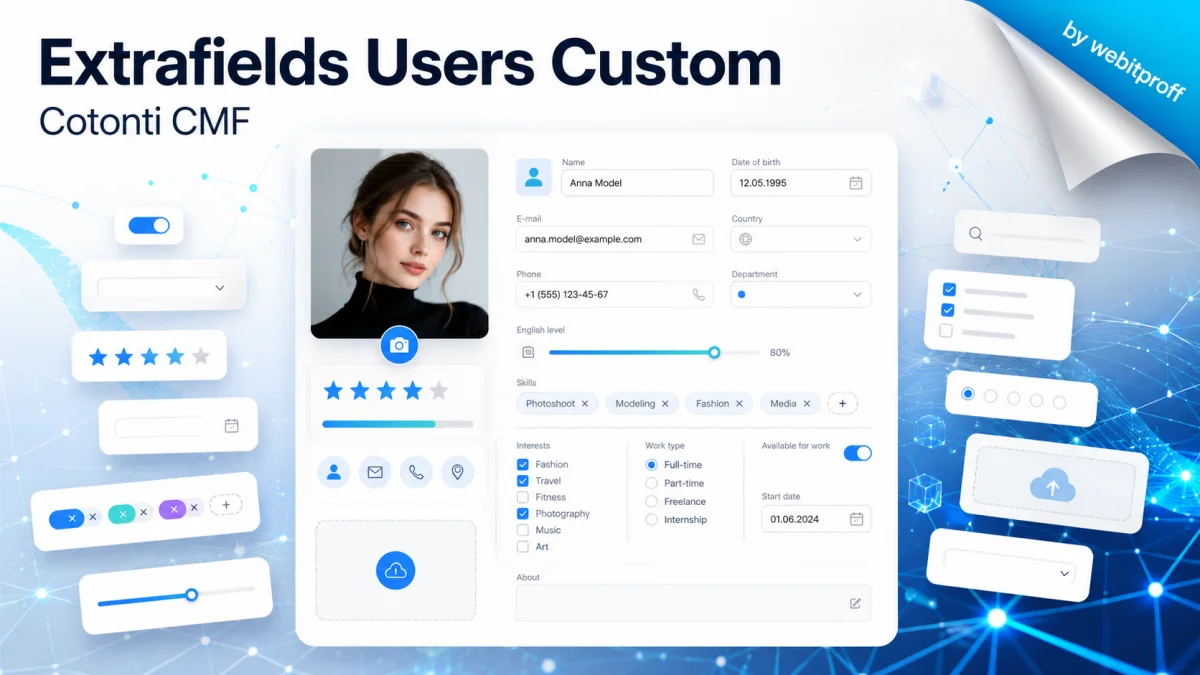
Extrafields Users Custom

Cotonti CMF: Plugin Installation, Integration, and Adaptation
Page Discussion in Telegram
Content author

Offline
Sodium Carbonate
Last logged: 2026-09-01 22:41
- Page published: 2026-07-18 01:04
- Last update: 2026-07-18 08:56
- Language:
 Русский
 Связанные статьи
The Userfields plugin for Cotonti (without extra fields)
Userfields Plugin for Cotonti 0.9.26OverviewThe Userfields plugin for Cotonti CMS enables the
Multipage articles with pagination in Cotonti
Instructions: multi-page articles in CotontiMulti-page articles are needed to make long texts easier

Bookmark (Закладки) в редакторе CKEditor. Руководство
Инструкция объясняет, как использовать функцию Bookmark в редакторе CKEditor для создания якорей