Plugin for Cotonti Siena Generates an XML sitemap only for forums (sections, topics and optionally individual posts). Helps search engines find and index all forum pages faster.
This plugin is part of a project to split the standard SiteMap plugin (included in Cotonti) into several independent plugins.
The original SiteMap generated a single large map for the entire site: pages, forum, users, products. Any changes or errors in one section meant fixing the whole plugin, often breaking the entire map.
To avoid this, it was decided to split the single plugin into specialized ones, each responsible for its own content type:
sitemap_forums – XML sitemap for forums (this plugin)
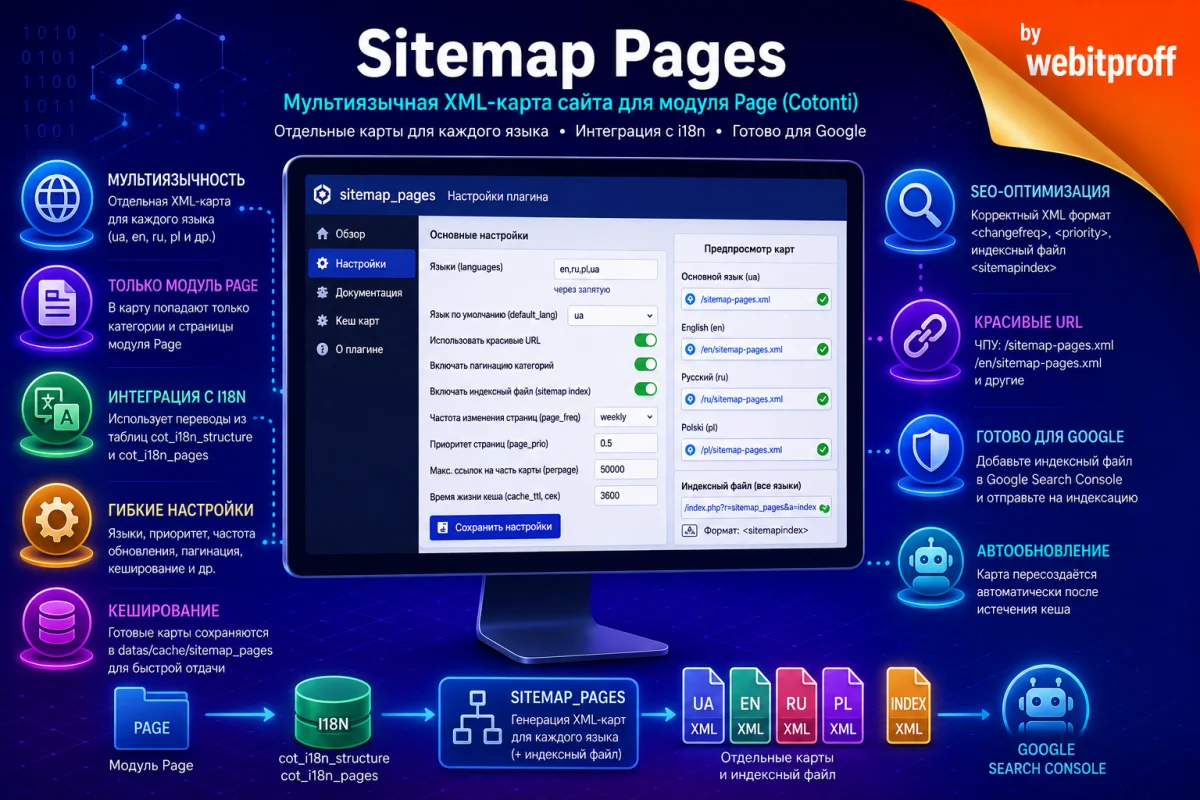
sitemap_pages – XML sitemap for pages (with multi-language support)
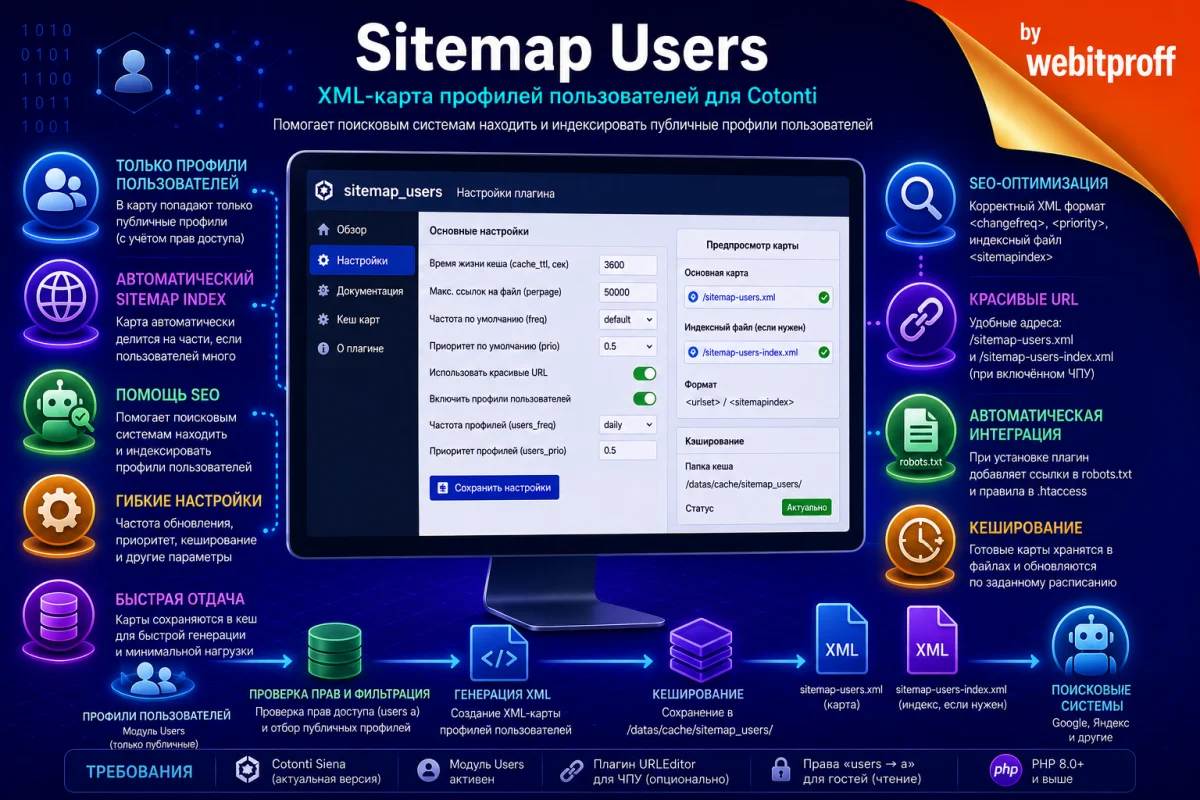
sitemap_users – XML sitemap for user profiles
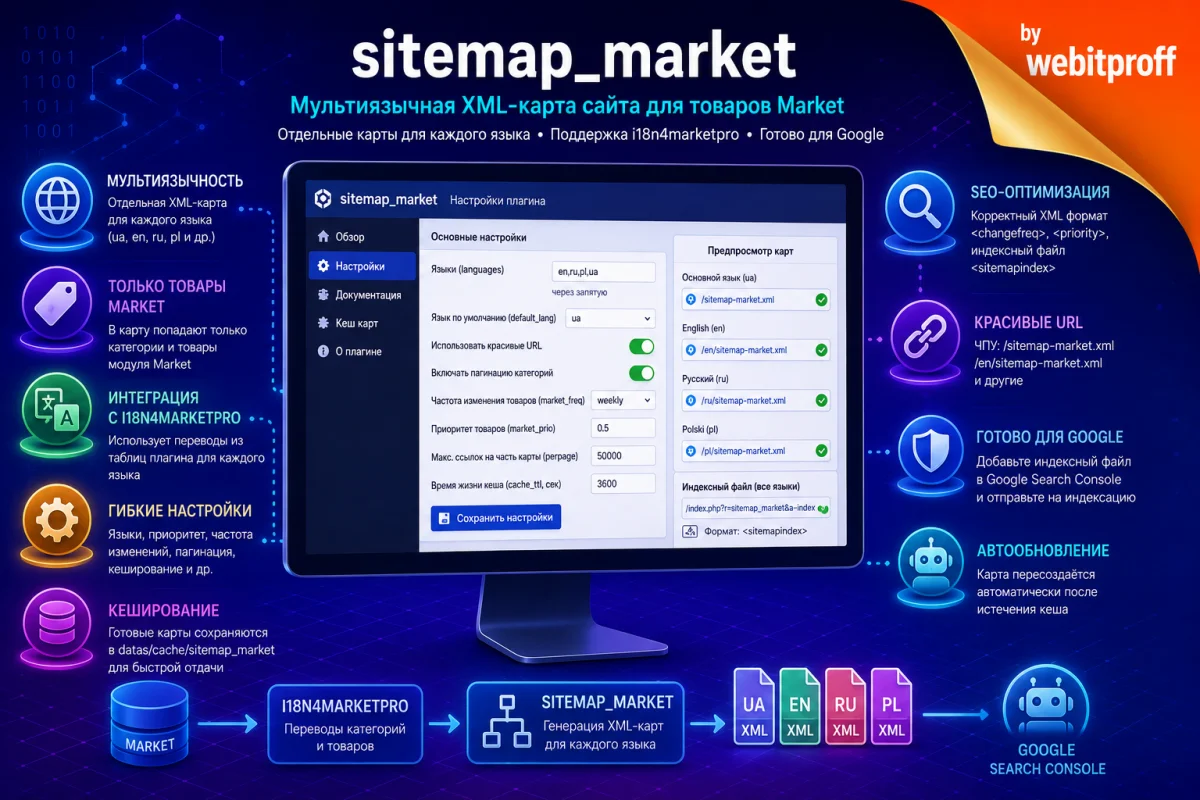
sitemap_market – XML sitemap for products (Market module)
Each plugin is completely autonomous, configured separately, and does not affect others. This approach simplifies maintenance and allows flexible management of site maps.
sitemap_forums is based on the original SiteMap code but completely reworked for the forums module and adapted for PHP 8.x.
Features
Generates an XML sitemap for:
forum sections (categories) with pagination of topic lists,
topics with pagination of posts within each topic,
individual posts (messages) — optional, enabled in settings.
Automatically splits the sitemap into multiple files (sitemap index) if the total number of URLs exceeds the specified limit (perpage).
During installation, automatically adds sitemap links to robots.txt.
During installation, automatically adds rewrite rules to .htaccess for pretty URLs (if the URLEditor plugin is active).
Caches ready-made maps to files for fast delivery.
Flexible settings: update frequency, priority for forum pages.
Full compatibility with PHP 8.x.
Requirements
Cotonti Siena (latest version recommended)
forums module — must be installed and active
urleditor plugin — if you plan to use pretty URLs (sitemap-forums.xml)
Write permissions to the datas/cache/ folder (for caching maps)
PHP 8.0 or higher
Plugin Structure
sitemap_forums/
├── sitemap_forums.setup.php           # Plugin header, metadata and settings
├── sitemap_forums.ajax.php            # Main request handler (AJAX)
├── inc/
│   └── sitemap_forums.functions.php   # Functions: XML compression, date handling, map saving
├── lang/
│   ├── sitemap_forums.ru.lang.php     # Russian labels for settings
│   └── sitemap_forums.en.lang.php     # English labels for settings
├── tpl/
│   ├── sitemap_forums.tpl             # Template for regular urlset
│   └── sitemap_forums.index.tpl       # Template for index file (sitemapindex)
└── setup/
    └── sitemap_forums.install.php     # Automatic addition of links to robots.txt
                                        # and rules to .htaccess during installation
Unpack the archive into the plugins/ folder of your site. The structure described above should result.
Go to the Cotonti admin panel → Extensions.
Find the plugin “Forums Sitemap” in the list and click “Install”.
Important: During installation, the plugin automatically:
Adds links to the forum sitemap in robots.txt.
Adds rewrite rules to .htaccess for pretty URLs (only if URLEditor is active and the rules are not already present).
After installation, the plugin starts working immediately.
Plugin Settings in Admin Panel
All settings are located in Extensions → Forums Sitemap → Configuration.
Parameter
Type
Default
Description
cache_ttl
string
3600
Cache lifetime in seconds. After expiration, the map is regenerated.
perpage
string
50000
Maximum number of URLs in a single map file. If exceeded, parts are created (sitemap index).
freq
select
default
Default change frequency (if not specified for a specific module).
prio
select
0.5
Default priority.
forums
radio
1 (on)
Include forum sections in the sitemap.
forums_freq
select
daily
Change frequency of forum pages (sections, topics, posts).
forums_prio
select
0.5
Priority of forum pages.
use_pretty_urls
radio
1 (on)
Use pretty URLs for the sitemap (e.g., sitemap-forums.xml). If disabled, URLs will be like index.php?r=sitemap_forums.
include_posts
radio
0 (off)
Include individual posts (messages) in the sitemap. Caution: on forums with many messages, this can significantly increase map size and generation time.
It is recommended to keep the default values unless you have specific requirements.
Pretty URLs Setup
For your sitemap to be accessible at: https://yoursite/sitemap-forums.xml – main sitemap https://yoursite/sitemap-forums-index.xml – index (when there are many URLs)
the URLEditor plugin must be active with any preset other than none.
During installation, the plugin adds the following rules to .htaccess (if they are not already present):
You do not need to add these rules manually — installation does it automatically. If you have disabled automatic .htaccess modification, simply copy the lines above into your .htaccess after the RewriteEngine On line.
Usage
Viewing the Sitemap
Main sitemap: open in browser https://yoursite/sitemap-forums.xml or https://yoursite/index.php?r=sitemap_forums
Index (if sitemap is split):https://yoursite/sitemap-forums-index.xml or https://yoursite/index.php?r=sitemap_forums&a=index
Adding to robots.txt
During installation, the plugin automatically adds the following lines to the root robots.txt (depending on pretty URL settings):
If you need to change or remove these links, edit robots.txt manually.
Validation Check
You can use XML Sitemap Validator or similar services to ensure the sitemap is correctly formed.
Caching and Cache Clearing
Ready-made maps are stored in the datas/cache/sitemap_forums/ folder and are only updated after the cache_ttl time expires (default 1 hour). This significantly reduces server load during frequent search engine requests.
If you need to forcibly update the maps earlier, simply delete the files in the cache folder (datas/cache/sitemap_forums/). They will be regenerated on the next request.
Detailed Description of Each File
Below is a very detailed description of each file in the plugin. The description goes from general purpose to specific details so that a beginner can understand.
1. sitemap_forums.setup.php
Purpose: This is the "passport" of the plugin. It stores the information Cotonti uses to register the plugin in the system and build the settings page in the admin panel. The file itself does nothing but declare metadata.
Contents:
[BEGIN_COT_EXT] ... [END_COT_EXT] section – plugin metadata: its code (sitemap_forums), name, category (seo), description, version, author, required modules (forums), guest and user permissions.
[BEGIN_COT_EXT_CONFIG] ... [END_COT_EXT_CONFIG] section – list of settings. Format: parameter_name=order:type:default_value:hint. Types: string, select, radio, separator.
Important: manual changes to this file are not recommended — all settings can be changed via the admin panel and are saved in the database.
2. sitemap_forums.ajax.php
Purpose: The heart of the plugin. This file is called directly via the Cotonti AJAX hook when someone opens a link like index.php?r=sitemap_forums (or its pretty version sitemap-forums.xml). It generates and delivers the ready-made XML sitemap for the forum.
How it works (step by step):
Output protection: clears all previous buffers, disables error display, starts a new buffer, sets Content-Type: application/xml; charset=utf-8.
Parameter retrieval:$d (part number) and $a (action, 'index' for index file).
Read plugin settings from Cot::$cfg['plugin']['sitemap_forums'].
Cache path setup: creates datas/cache/sitemap_forums/ if needed.
Index file generation (when ?a=index): checks cache, recalculates total URL count, generates links to parts, saves to cache and outputs.
Main sitemap generation (normal request): checks cache validity, if outdated performs a full rebuild:
Loads the forums module.
Collects section statistics from cot_forum_stats.
Adds topic listing pages (with pagination).
Adds post pages within each topic (with pagination).
If include_posts is enabled, selects all posts from cot_forum_posts and adds individual URLs.
Each entry is processed by the sitemap_forums_parse() function.
Deliver the final file: selects the appropriate cache file, cleans BOM, outputs with correct XML declaration.
Key points: the script works only inside Cotonti (constant COT_CODE). Caching logic is in sitemap_forums_parse() and sitemap_forums_save(). To add/remove forum entities, edit this file.
3. inc/sitemap_forums.functions.php
Purpose: A library of helper functions. All functions are static.
sitemap_forums_compress($xml) — removes extra whitespace, tabs, and line breaks from XML.
sitemap_forums_date($timestamp) — returns date in W3C (ISO 8601) format or empty string if timestamp is 0.
sitemap_forums_freq($value) — returns changefreq value or empty if 'default'.
sitemap_forums_prio($value) — similarly for priority (empty for 0.5).
sitemap_forums_parse($t, &$items, $item) — adds an entry to the template, saves current part and starts a new one when perpage limit is reached.
sitemap_forums_save($xml, $d) — saves XML to a cache file (sitemap.xml or sitemap.1.xml etc.).
4. Language Files (lang/sitemap_forums.ru.lang.php and en.lang.php)
Store translated strings for the admin panel. The $L array contains labels for parameters, titles, and dropdown values.
5. Templates (tpl/sitemap_forums.tpl and sitemap_forums.index.tpl)
Main template — <urlset> with SITEMAP_ROW block. Conditional blocks hide empty <lastmod>, <changefreq>, <priority>. Index template — <sitemapindex> with similar structure. Important: do not add <?xml version="1.0"?> to templates — it is inserted programmatically.
6. setup/sitemap_forums.install.php
Purpose: Runs once during plugin installation. Automatically:
Adds sitemap links to robots.txt (removing old entries with sitemap-forums/sitemap_forums).
Inserts rewrite rules into .htaccess (if URLEditor is active and rules are missing).
Usage Example
Install the plugin.
Check that robots.txt now contains Sitemap: lines.
Open https://yoursite/sitemap-forums.xml — you will see an XML listing of forum sections and topics.
If needed, enable include_posts in settings to add individual posts.
To validate with a validator, make sure the visitor_stats bot whitelist (if used) includes 'Sitemaps Generator'.
Troubleshooting
Sitemap does not open (404/500): check that the forums module is active and the datas/cache/sitemap_forums/ folder is writable.
Pretty URLs do not work: ensure URLEditor is active and its preset is not none. Check that the rules exist in .htaccess.
No posts: check the include_posts option. If it is on but posts are missing, clear the cache.
Validator: content-type: text/html: add 'Sitemaps Generator' to the visitor_stats bot whitelist.
Index file empty or incorrect: clear cache, check perpage and use_pretty_urls settings.
License
Distributed under the BSD license. Free to use and modify while retaining copyright.
Оказываю весь спектр услуг по CMF Cotonti. Разработка открытых и закрытых корпоративных интернет порталов, небольших социальных сетей, торговые площадки, маркетплейсы, биржи фриланса, каталоги товаров оптовых поставщиков, интернет-магазин под заказ, чтобы делать совместные покупки и групповые совместные продажи от имени нескольких продавцов.
CMS, Script and Engine for an online storefront, infoproduct shop and digital goods store. Different prices in different currencies. Online cryptocurrency payments for goods and services.


 Русский